To add Personal Photos and Personal Icons
 |
A "personal photo" is a picture that shows up underneath the poster's
name like an "avatar." It must be no larger than 60X60 pixels. |
|
A "personal icon" is a tiny icon that appears next to the poster's name. It must be no larger than 10X10 pixels. |

To add/change/delete a personal photo:
Log in
Go to "My Control Center" (link at upper left of forum page)
Click on "Edit Profile "
Scroll down to "My Photo" section and add URL of the image you want as your personal photo.
To add/change/delete a personal icon:
Log in
Go to "My Control Center"(link at upper left of forum page)
Click on "Account Preferences"
Scroll down to "Personal Icon" and add URL of the image you want as your personal icon
Some URLs to photos you can use as personal photos
(hover mouse over photo for description):
 |
http://www.kensmen.com/catholic/forumpix/1.jpg |
 |
http://www.kensmen.com/catholic/forumpix/2.jpg |
 |
http://www.kensmen.com/catholic/forumpix/3.jpg |
 |
http://www.kensmen.com/catholic/forumpix/4.jpg |
 |
http://www.kensmen.com/catholic/forumpix/5.jpg |
 |
http://www.kensmen.com/catholic/forumpix/6.jpg |
 |
http://www.kensmen.com/catholic/forumpix/7.jpg |
 |
http://www.kensmen.com/catholic/forumpix/8.jpg |
 |
http://www.kensmen.com/catholic/forumpix/9.jpg |
 |
http://www.kensmen.com/catholic/forumpix/10.jpg |
 |
http://www.kensmen.com/catholic/forumpix/11.jpg |
 |
http://www.kensmen.com/catholic/forumpix/12.jpg |
 |
http://www.kensmen.com/catholic/forumpix/13.jpg |
 |
http://www.kensmen.com/catholic/forumpix/14.jpg |
 |
http://www.kensmen.com/catholic/forumpix/15.jpg |
 |
http://www.kensmen.com/catholic/forumpix/16.jpg |
 |
http://www.kensmen.com/catholic/forumpix/17.jpg |
 |
http://www.kensmen.com/catholic/forumpix/18.jpg |
 |
http://www.kensmen.com/catholic/forumpix/19.jpg |
 |
http://www.kensmen.com/catholic/forumpix/20.jpg |
 |
http://www.kensmen.com/catholic/forumpix/21.jpg |
 |
http://www.kensmen.com/catholic/forumpix/22.jpg |
 |
http://www.kensmen.com/catholic/forumpix/23.jpg |
 |
http://www.kensmen.com/catholic/forumpix/24.jpg |
 |
http://www.kensmen.com/catholic/forumpix/25.jpg |
 |
http://www.kensmen.com/catholic/forumpix/26.jpg |
 |
http://www.kensmen.com/catholic/forumpix/27.jpg |
 |
http://www.kensmen.com/catholic/forumpix/28.jpg |
 |
http://www.kensmen.com/catholic/forumpix/29.jpg |
 |
http://www.kensmen.com/catholic/forumpix/30.jpg |
 |
http://www.kensmen.com/catholic/forumpix/31.jpg |
 |
http://www.kensmen.com/catholic/forumpix/32.jpg |
 |
http://www.kensmen.com/catholic/forumpix/33.jpg |
 |
http://www.kensmen.com/catholic/forumpix/34.jpg |
 |
http://www.kensmen.com/catholic/forumpix/35.jpg |
 |
http://www.kensmen.com/catholic/forumpix/36.jpg |
 |
http://www.kensmen.com/catholic/forumpix/37.jpg |
 |
http://www.kensmen.com/catholic/forumpix/38.jpg |
 |
http://www.kensmen.com/catholic/forumpix/39.jpg |
 |
http://www.kensmen.com/catholic/forumpix/40.jpg |
 |
http://www.kensmen.com/catholic/forumpix/41.jpg |
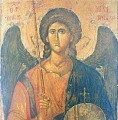 |
http://www.kensmen.com/catholic/forumpix/42.jpg |
 |
http://www.kensmen.com/catholic/forumpix/43.jpg |
 |
http://www.kensmen.com/catholic/forumpix/44.jpg |
 |
http://www.kensmen.com/catholic/forumpix/45.jpg |
 |
http://www.kensmen.com/catholic/forumpix/46.jpg |
 |
http://www.kensmen.com/catholic/forumpix/47.jpg |
 |
http://www.kensmen.com/catholic/forumpix/48.jpg |
 |
http://www.kensmen.com/catholic/forumpix/49.jpg |
 |
http://www.kensmen.com/catholic/forumpix/50.jpg |